
Engineering knowledge,made actionable.
Turn engineering data into structured, validated technical publications — with AI assisting authoring, illustration, review and maintenance.
Technical documentation is still a fragmented workflow.
Different industries.Same problem.Higher risk.

Multiple tools
Information across systems.
Engineering data, drawings, procedures and manuals often live across different tools and formats, making it hard to keep everything connected.
- CAD systems
- PLM platforms
- Illustration tools
- Authoring tools
- CSDBs
- Publishing systems

Information drift
When engineering changes, documentation falls behind.
Engineering data evolves, but related documentation and illustrations often don't keep up, leading to inconsistencies and higher risk.

Manual effort
Teams spend too much time managing information.
Technical teams spend time structuring, formatting, checking and maintaining documentation instead of focusing on engineering knowledge.
TechPub AI, end to end.
A walkthrough of the platform — from the CAD model, through conversion and authoring, to the people who use the information.


01
Engineering Data
Bring together the information behind the asset.
- CAD
- PLM
- 3D Models
- Engineering Drawings
- Existing Manuals
- Parts Data
The journey starts at the engineering model.
Author, illustrate, validate, review, publish and access technical information in one connected environment.
AI assists the work. Engineers control the result.

- 01
CAD to engineering data
Bring engineering information into the publication workflow.

- 02
Understand
Parse engineering information into structured, reusable knowledge.

- 03
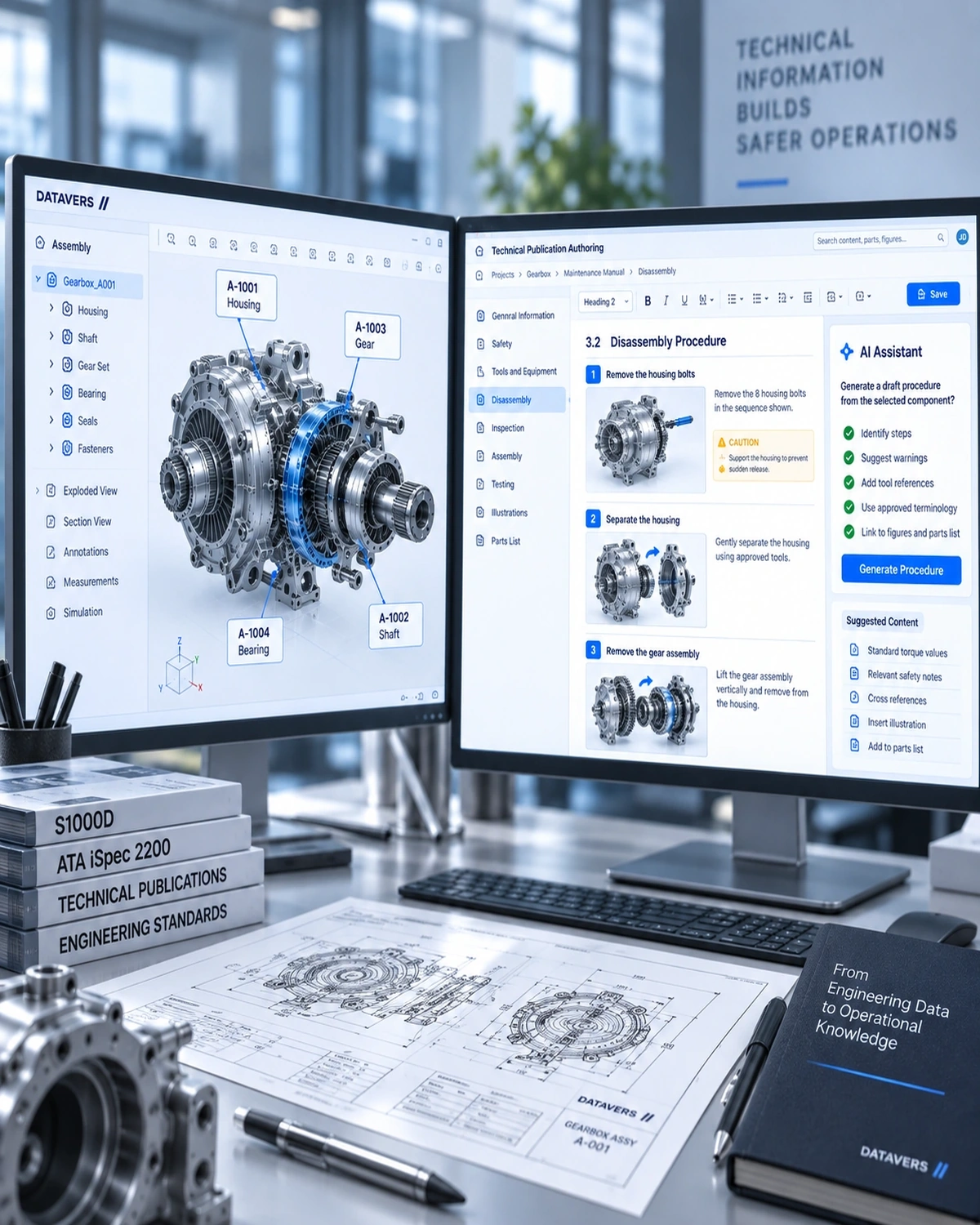
AI-assisted drafting
Generate structured technical content based on engineering information.
- 04
Block-based authoring
Create and manage content without working directly with XML.

- 05
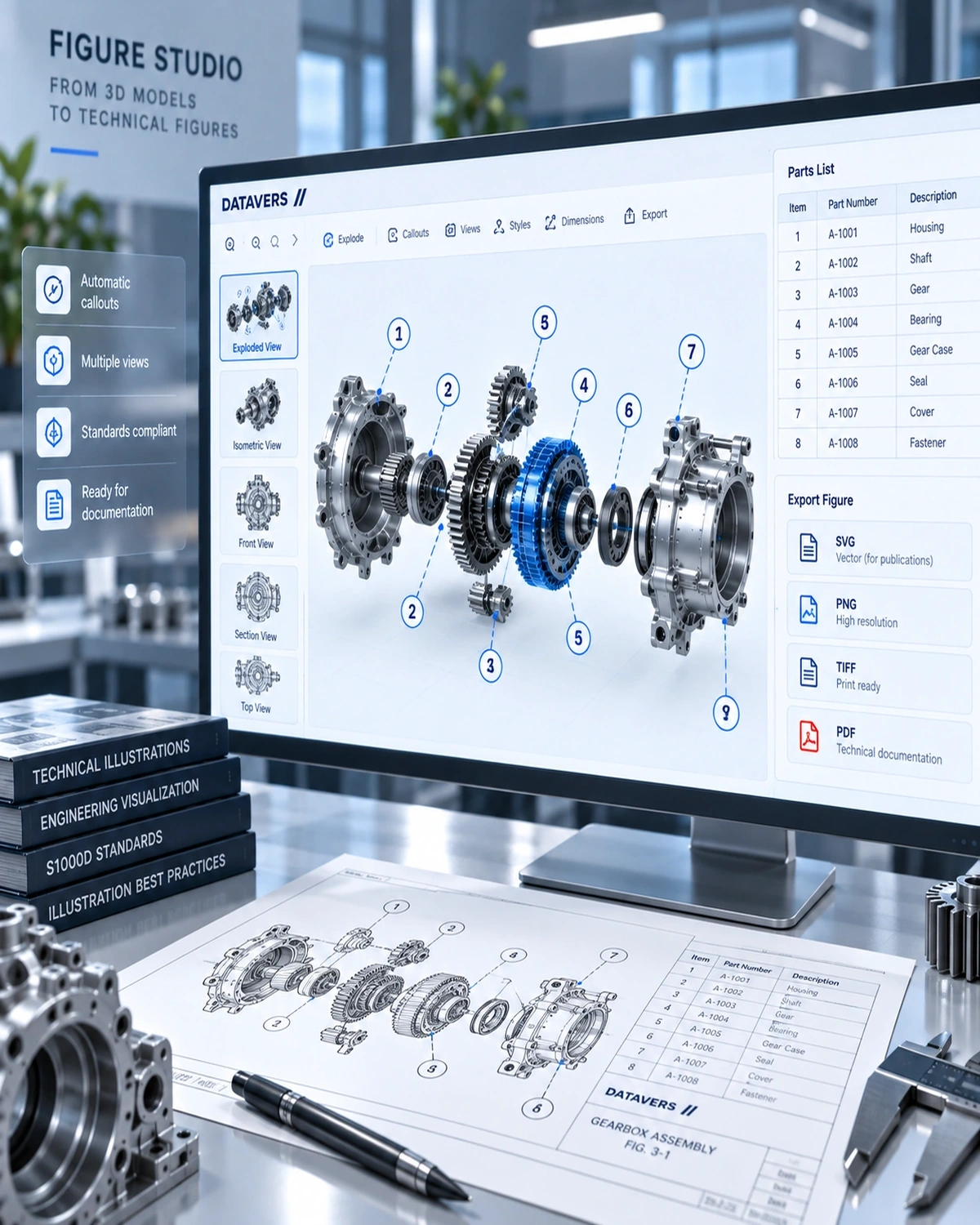
Figure Studio
Create technical figures directly from the engineering model.
- 06
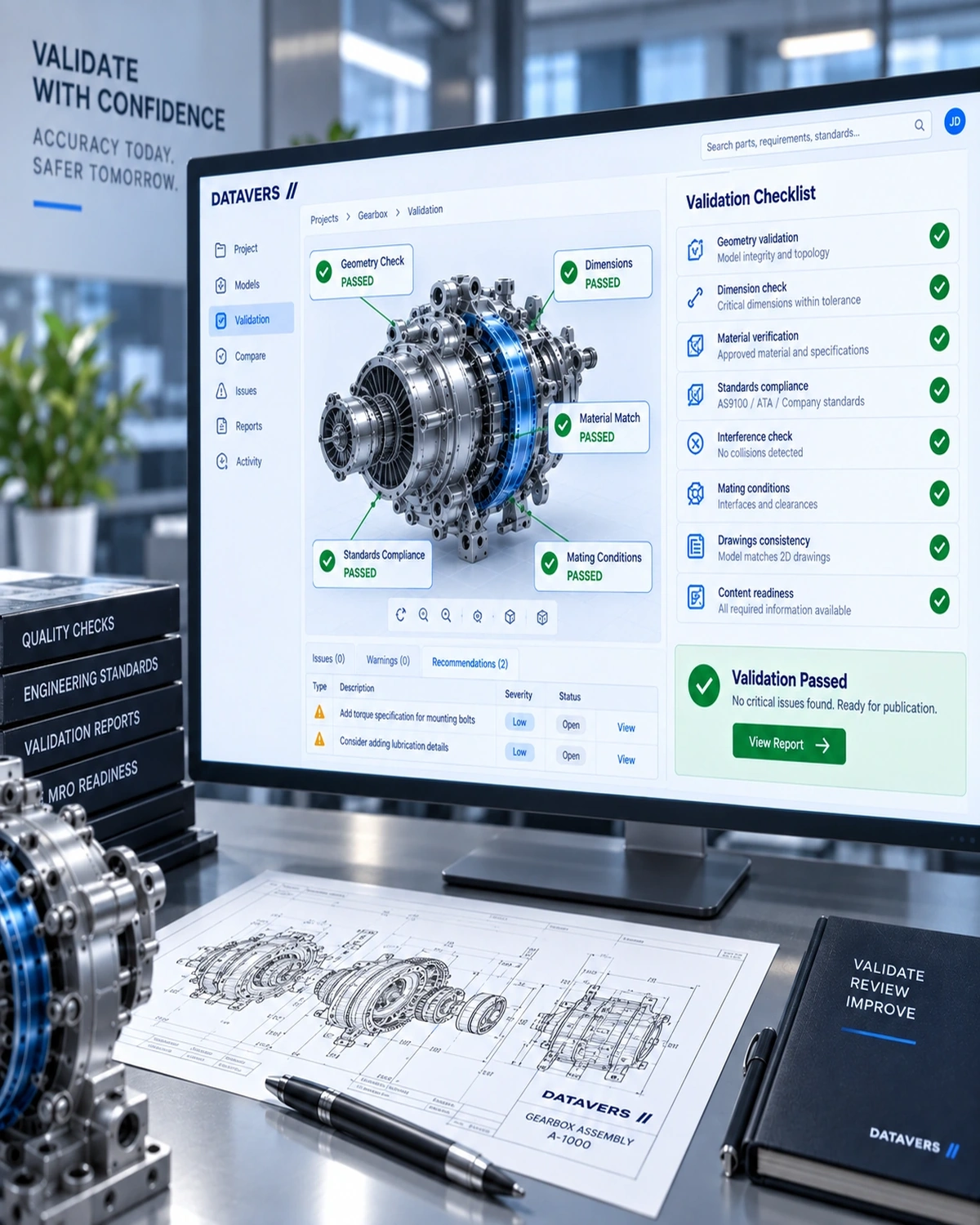
Validate & review
Check content against the official schema and your own rules.
- 07
Publish
Deliver technical information in the format your organization needs.

Engineering changes shouldn't mean starting over.
When engineering or parts information changes, the workflow can identify affected technical content and figures so teams can review the relevant updates.

A released issue stays relevant.
Changes open a new revision instead of altering the issue in place, and what differs between issues stays visible.

AI assists the work. Engineers control the result.
Datavers applies AI across the technical publication lifecycle — helping teams create, understand, validate and maintain engineering information while keeping technical experts in control.
AI authoring
Start with an AI-assisted first draft. Generate structured technical content from engineering information and reference material, then refine it inside the authoring environment.
STE & language checking
Improve technical clarity as content is created. AI can identify language issues and propose clearer technical wording for review.
Knowledge assistant
Ask questions across approved technical information and receive answers grounded in available sources.
Content understanding
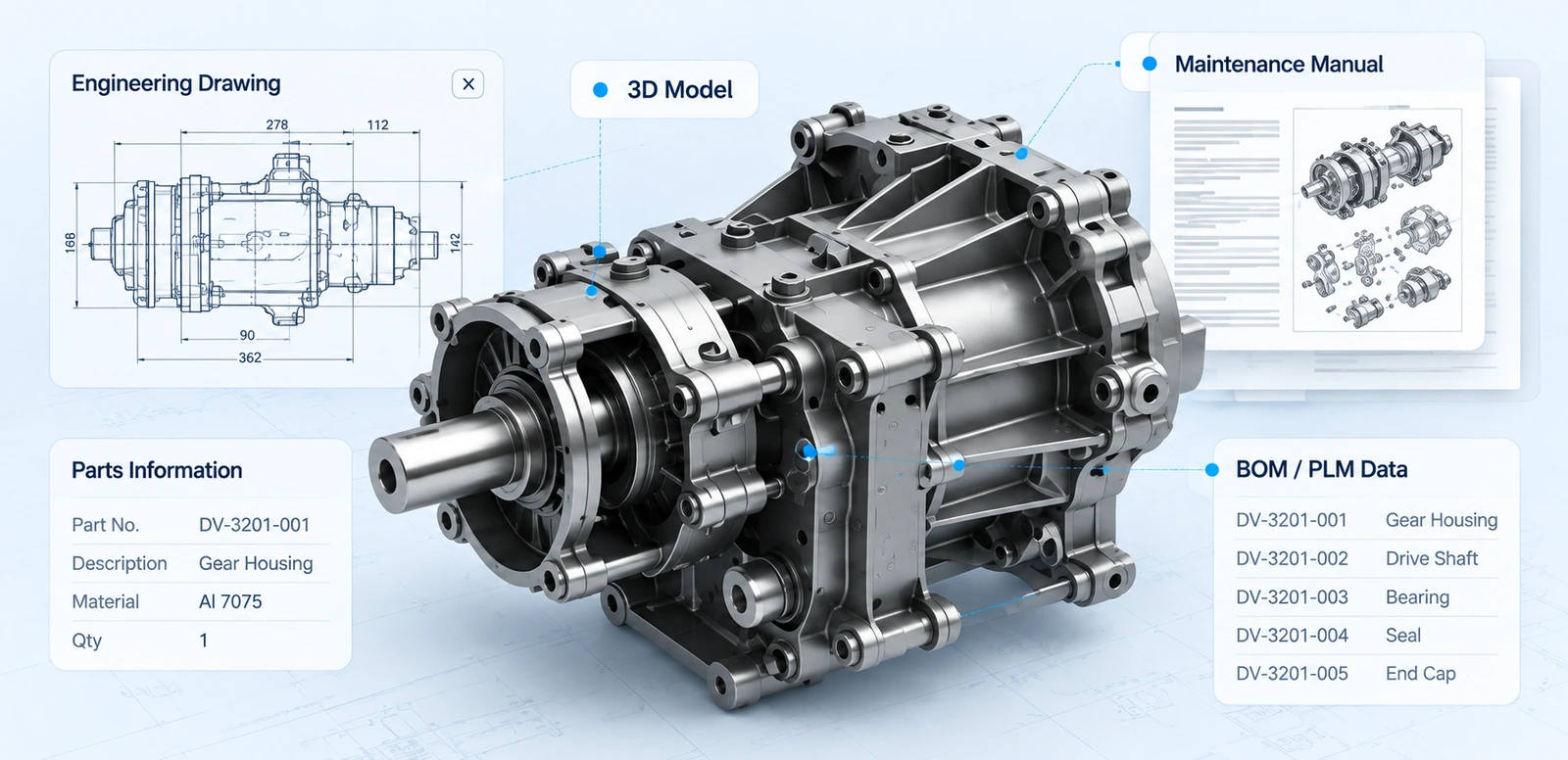
Connect engineering information with technical knowledge. Understand relationships between engineering data, components, documentation and procedures.
AI validation assistance
Identify potential issues before publication. Surface content and validation concerns so technical teams can review and resolve them.
Revision intelligence
Keep technical information connected to engineering changes. When underlying engineering information changes, identify the content and figures that may need review.
Your engineering model becomes the technical figure.
Work with engineering models and technical publications together instead of moving between disconnected tools.
Explore
Navigate the engineering model and understand assemblies and components.


One model.One source of engineering context.Multiple technical outputs.
Sequence workbench
Removal and installation on one timeline.
A figure and a step per item, in the order the work happens — with IETP animations from the same views.

Technical publications
What the workflow produces.
Publication types that stay connected to the engineering information behind them — and the legacy manuals the workflow brings in alongside them.
Maintenance manuals
Structured information for maintenance activities.
Maintenance procedures
Step-by-step technical instructions for inspection, repair and replacement.
Illustrated parts information
Parts information connected with detailed technical illustrations.
Service bulletins
Technical information supporting specific service activities.
Digital publications
Interactive technical information for digital environments.
Interactive content
Connect technical information with engineering models and visual content.


Legacy content
Word and PDF become structured modules.
Page by page, figures included. Figures become hotspotted assets traceable to the page; reference documents stay sources, never converted by accident.
From engineering data to mission ready
- Drones
- Documentation
- Operational excellence
Ask yourtechnical knowledge.Get grounded answers.
Across manuals, drawings, parts and procedures — access technical information through a conversational interface designed around engineering knowledge.
Grounded answers
Get responses based on available technical sources.
Source references
Trace answers back to the underlying technical information.
Engineering context
Ask about components, procedures, specifications and technical information.
Secure access
Keep access aligned with your organization's information and user permissions.
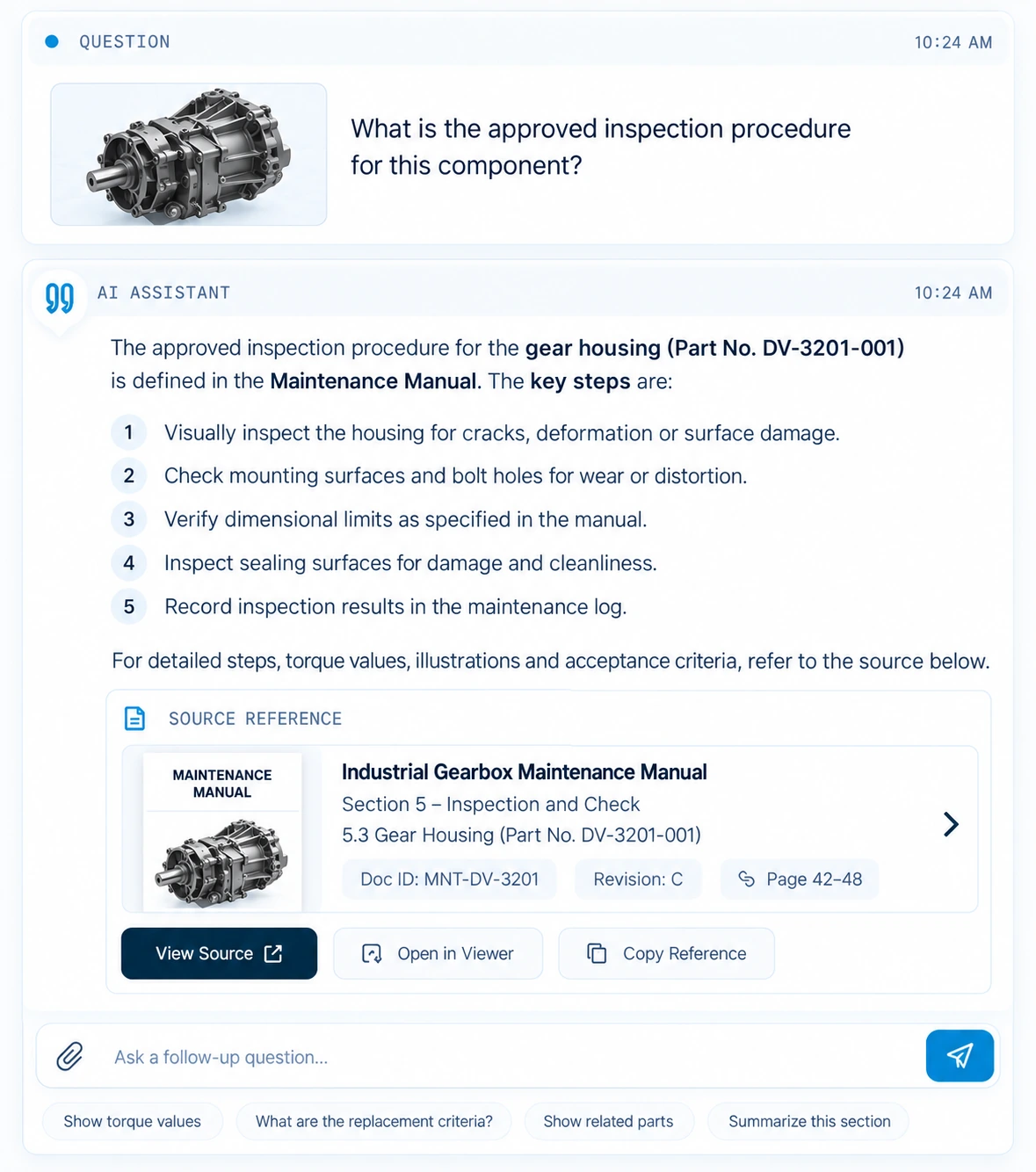
Find the information.Understand the context.Take the next step.

Automation accelerates the work. Expertise controls the outcome.
Technical publications require engineering judgment. Datavers is designed around a human-in-the-loop workflow where AI assists the process and qualified teams review the result.
AI does
Proposes and checks. Never releases.
AI generates
AI proposes technical content and assists with information processing.
AI checks
Potential issues are surfaced for review.
The gate
Nothing reaches a reader until a person has accepted it.
Your people do
Review, approve, release.
Engineer reviews
Technical experts refine and approve the information.
QA / approval
Content moves through the organization's review process.
Publication release
Approved information is prepared for publication and use.
AI does the repetitive work.Your experts remain in control.
Put technical knowledge where the work happens.
Maintenance teams need accurate technical information at the point of work.Datavers connects technical publication workflows with the information maintenance teams rely on to inspect, service, repair and maintain assets.
Built for engineering-intensive industries.
Datavers TechPub is designed for organizations where engineering information, technical documentation and operational knowledge need to stay connected.

Aerospace OEMs

MRO organizations

Aircraft operators

Engineering teams

Emerging aviation


Beyond aerospace
The same core supports packs for rail, marine, energy and medical — anywhere documentation has to track the design.
It runs where your policy says it runs.
Where it runs, who can open it, what it is built around.
 01
01Deployment
Flexible to fit your environment.
- SaaS first
- Your own cloud
- Fully air-gapped on request
- AI self-hosted, or switched off entirely
 02
02Access & security
You stay in control.
- Roles and tenancy
- SSO and MFA
- Off-site backups
- Security classifications on content
 03
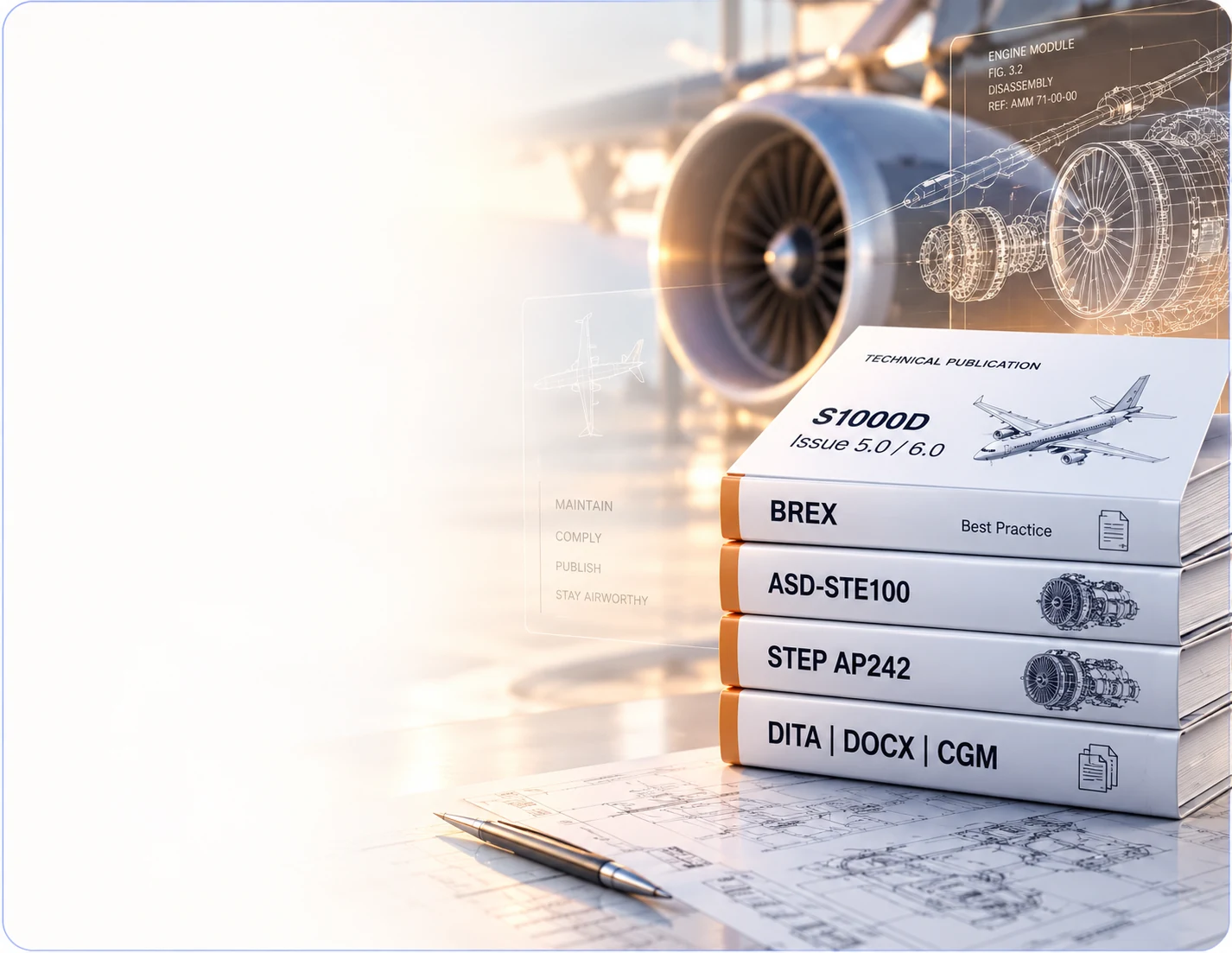
03Built around
Standards that matter.
- S1000D Issue 5.0 / 6.0
- BREX, DMRL and applicability
- ASD-STE100
- STEP AP242, DITA, DOCX, CGM


Access model
Reader seats are free.
Shop-floor crews read; authors write. Rolling it out to the whole floor is not a per-head cost.
Outside aerospace the same core runs in plain mode, with packs for rail, marine, energy and medical.
Engineering expertise. Intelligent technology.One connected workflow.
One connected workflow
Bring engineering information, technical authoring, illustration, validation and publication together.
Engineering data at the core
Start with the engineering information behind the asset rather than treating technical documentation as an isolated activity.
AI with engineering context
Use AI to assist technical authoring, information understanding, validation and knowledge access.
Figures from the engineering model
Create technical views and annotations from the same engineering context used across the workflow.
Legacy content modernization
Bring existing technical documentation into a more structured and maintainable workflow.
Built around technical standards
Support structured technical information and standards-based publication workflows where applicable.
From engineering information to maintenance action.
Bring one assembly — a STEP file and its parts list — and we will walk it through the pipeline with you.